Affiliate Banner - horizontal (banner-top)
Replace this placeholder with your actual ad code
Edit in: config/blog/blog-config.json
Adobe Creative Cloud vs Adobe Express: Complete 2025 Comparison Guide
Choosing the right Adobe creative solution can feel overwhelming. Should you invest in the comprehensive Adobe Creative Cloud suite, or is the streamlined Adobe Express enough for your needs? With Black Friday bringing massive discounts (up to 70% off!), now's the perfect time to make an informed decision.
In this comprehensive guide, we'll compare features, pricing, use cases, and help you determine which Adobe solution delivers the best value for your specific creative workflow.
What's the Fundamental Difference?
Before diving into features and pricing, let's understand what sets these platforms apart:
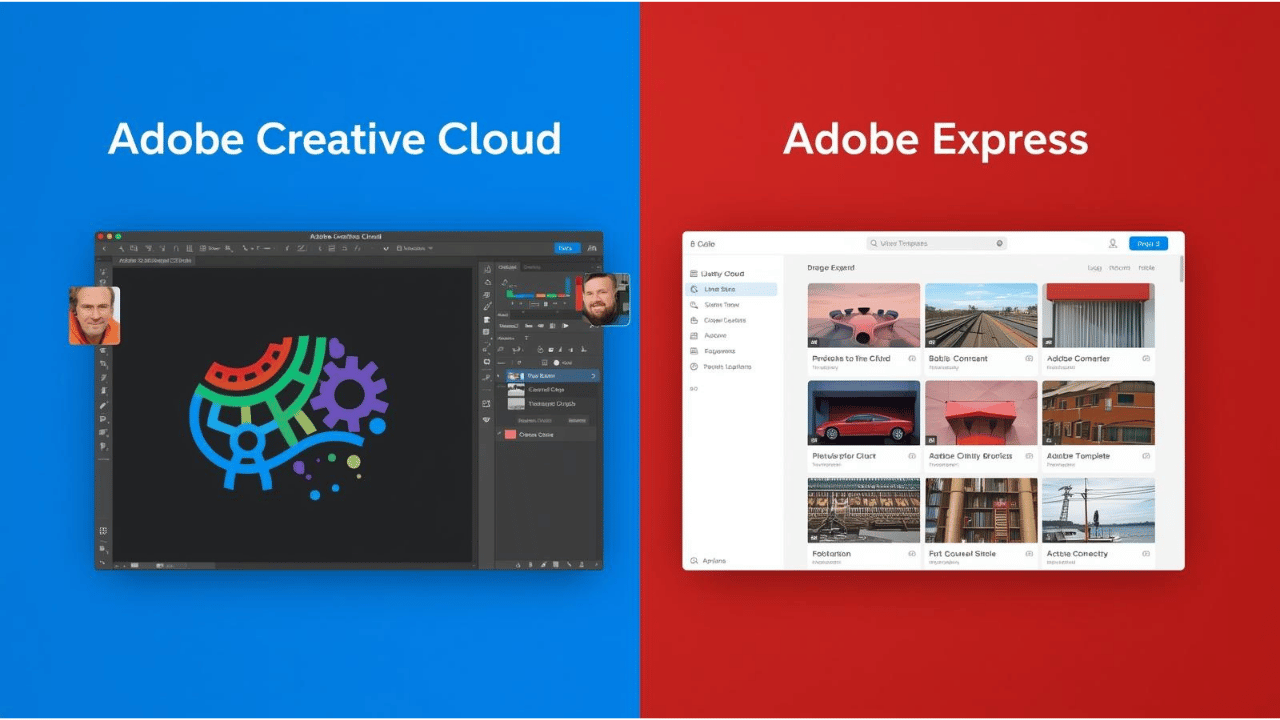
Adobe Creative Cloud is a comprehensive suite of professional-grade desktop applications—including industry standards like Photoshop, Illustrator, InDesign, Premiere Pro, and After Effects. It's designed for professionals, agencies, and serious enthusiasts who need advanced capabilities and precise control over their creative work.
Adobe Express (formerly Adobe Spark) is a streamlined, web-based design tool focused on simplicity and speed. It's built for non-designers, small businesses, social media managers, and anyone who needs to create professional-looking content quickly without mastering complex software.
Think of it this way: Creative Cloud is like a professional kitchen with every specialized tool imaginable, while Adobe Express is an all-in-one appliance that handles the essentials beautifully.
Feature-by-Feature Comparison
Creative Capabilities
Adobe Creative Cloud:
- Advanced Photo Editing: Photoshop offers pixel-level precision with layers, masks, advanced color grading, and content-aware tools
- Vector Graphics: Illustrator provides industry-leading vector creation with precision path tools and typography controls
- Video Production: Premiere Pro and After Effects deliver professional-grade video editing, motion graphics, and visual effects
- Page Layout: InDesign handles complex multi-page documents with advanced typography and print preparation
- Web & UX Design: XD and Dreamweaver cover interactive prototyping and web development
- 3D & AR: Dimension and Substance 3D tools for 3D modeling and augmented reality
Adobe Express:
- Template-Based Design: 100,000+ professionally designed templates for social posts, flyers, logos, and videos
- Drag-and-Drop Editing: Intuitive interface with one-click effects and quick adjustments
- AI-Powered Tools: Text-to-video generation, automatic translations, and smart design suggestions
- Quick Video Creation: Trim, combine, and enhance videos with built-in transitions and effects
- Brand Management: Create and apply brand kits with consistent colors, fonts, and logos
- Social Media Optimization: Auto-resize designs for different platforms with one click
AI & Automation Features
Adobe Creative Cloud (2025):
- Adobe Firefly integration across all apps for generative AI features
- Advanced AI-powered selection and masking in Photoshop
- Content-aware fill and object removal
- Neural filters for artistic effects and photo restoration
- Auto-reframe for smart video cropping
- Speech-to-text and auto-captioning in Premiere Pro
Adobe Express (2025):
- Text-to-Video: Generate up to 40 five-second videos monthly using AI
- Multi-Model AI Access: Integration with Google, OpenAI, Flux, and Adobe Firefly
- Video Translation: Translate up to 13 minutes of video and audio
- 250 Generative Credits/Month: Create AI-generated images, text effects, and design elements
- Smart Resize: Automatically adapt designs for multiple platforms
- Background Removal: One-click AI-powered background removal
Collaboration & Workflow
Adobe Creative Cloud:
- Cloud document syncing across devices
- Version history and recovery
- Creative Cloud Libraries for shared assets
- Team collaboration with commenting (requires business plan)
- Integration with third-party tools (Slack, Microsoft Teams)
- Advanced asset management with Adobe Bridge
Adobe Express:
- Real-time co-editing with team members
- Inline commenting and feedback
- Content Scheduling: Plan and schedule posts to 3 social accounts per network
- Shared brand kits with locking controls (Teams plan)
- Creative Cloud Libraries integration (Premium plan)
- Mobile app for on-the-go editing
Platform & Accessibility
Adobe Creative Cloud:
- ❌ Desktop applications (Windows/Mac)
- ❌ Requires powerful hardware for optimal performance
- ❌ Steep learning curve
- ✅ Offline functionality
- ✅ Maximum control and customization
Adobe Express:
- ✅ Web-based (works on any device with internet)
- ✅ Mobile apps (iOS/Android)
- ✅ Minimal hardware requirements
- ✅ Intuitive, beginner-friendly interface
- ❌ Requires internet connection
- ❌ Limited advanced customization
Complete Pricing Comparison (2025)
Adobe Creative Cloud Pricing
| Plan | Regular Price | Users | What's Included |
|---|---|---|---|
| All Apps (Individual) | $59.99/month | 1 | 20+ apps including Photoshop, Illustrator, Premiere Pro, After Effects, InDesign, XD, Lightroom, and more + 100GB cloud storage |
| Photography Plan | $19.99/month | 1 | Photoshop + Lightroom + Lightroom Classic + 1TB cloud storage |
| Single App | $22.99/month | 1 | One app of your choice + 100GB cloud storage |
| Students & Teachers | $19.99/month | 1 | All Apps plan (66% discount) + 100GB cloud storage |
| Business (All Apps) | $89.99/month | Per user | All creative apps + Admin console + Advanced support + 1TB per user |
Adobe Express Pricing
| Plan | Price | Users | What's Included |
|---|---|---|---|
| Free | $0 | 1 | 100,000 templates, 1M+ royalty-free Adobe Stock assets, 4,000 fonts, basic editing tools, 5GB cloud storage, 25 generative credits |
| Premium | $9.99/month $99.99/year |
1 | All templates, 200M+ Adobe Stock assets, 100GB storage, advanced editing tools, 250 generative credits/month, background removal, brand kit, content scheduling |
| Teams | $7.99/month (per seat, annual) |
Multiple | Everything in Premium + 250 credits per seat, advanced brand kits with locking, real-time collaboration, 1TB per seat |
Cost Comparison Example
Let's compare what a small business would pay annually:
Adobe Creative Cloud All Apps: $719.88/year (individual)
Adobe Express Premium: $99.99/year (individual)
Savings with Adobe Express: $619.89/year (86% less expensive!)
Want help choosing the right plan? Our intelligent software advisor can analyze your specific needs and recommend the best Adobe solution for your workflow. Find Your Perfect Adobe Plan →
🔥 Black Friday 2025 Deals (Live Now!)
Limited Time: Ends November 29, 2025
Adobe Creative Cloud Deals
✅ Individual All Apps Plan: 50% OFF for first year
Regular: $59.99/month → Now: $29.99/month
Savings: $360 in your first year!
✅ Students & Teachers: 70% OFF for first year
Regular: $19.99/month → Now: $16/month
Already the best value—extra discount stacks!
✅ Creative Cloud for Teams: 50% OFF
Regular: $89.99/month per seat → Now: $44.99/month per seat
Important Notes:
- Offer valid for new subscribers only
- No coupon code required—discount auto-applies at checkout
- Auto-renews at regular price after first year
- Existing members: Try canceling—Adobe often offers retention discounts
Adobe Express Deals
Adobe Express typically doesn't offer Black Friday discounts, but annual plans save you 17% compared to monthly billing:
- Premium: $9.99/month vs. $99.99/year (saves $20)
- 30-day free trial available year-round for testing premium features
Black Friday Pro Tip: If you need BOTH platforms, grab Creative Cloud All Apps at 50% off—it includes 2 months of Adobe Express Premium for free!
🎁 Claim Your Black Friday Discount →
Side-by-Side Comparison Table
| Feature | Adobe Creative Cloud | Adobe Express |
|---|---|---|
| Best For | Professional designers, video editors, agencies, photographers | Small businesses, social media managers, non-designers, quick content |
| Learning Curve | Steep—weeks to months | Easy—minutes to hours |
| Platform | Desktop apps (Windows/Mac) | Web-based + mobile apps |
| Offline Access | ✅ Full functionality | ❌ Requires internet |
| Templates | Limited built-in templates | 100,000+ professionally designed |
| Stock Assets | Separate Adobe Stock subscription | 200M+ included (Premium) |
| Advanced Photo Editing | ✅ Industry-leading (Photoshop) | ⚠️ Basic adjustments only |
| Vector Graphics | ✅ Professional (Illustrator) | ⚠️ Limited vector editing |
| Video Editing | ✅ Professional (Premiere Pro) | ⚠️ Basic trimming and effects |
| Print Design | ✅ Advanced (InDesign) | ⚠️ Basic layouts only |
| AI Features | Firefly across all apps | Text-to-video, translations, 250 credits |
| Social Media Tools | ❌ Manual export and resize | ✅ Auto-resize, scheduling |
| Collaboration | ⚠️ Limited (requires Teams plan) | ✅ Built-in real-time co-editing |
| Brand Management | Manual setup across apps | Built-in brand kits |
| Mobile Editing | Separate mobile apps | Integrated mobile app |
| Cloud Storage | 100GB (All Apps) | 5GB (Free), 100GB (Premium) |
| File Format Support | All professional formats | Common formats (PNG, JPG, MP4, PDF) |
| Price (Individual) | $59.99/month | $9.99/month or FREE |
| Free Trial | 7 days | 30 days |
| Contract | Monthly or annual | Monthly, annual, or free forever |
Who Should Choose Adobe Creative Cloud?
Adobe Creative Cloud is your best choice if you:
✅ Work in a professional creative field (graphic design, video production, photography, advertising)
✅ Need pixel-perfect control over typography, colors, layers, and effects
✅ Handle complex projects like multi-page publications, feature films, or detailed illustrations
✅ Collaborate with other professionals who use industry-standard formats
✅ Have time to invest in learning powerful, specialized tools
✅ Work with print production requiring CMYK color management and pre-press specifications
✅ Edit RAW photos from professional cameras with advanced color grading
✅ Create 3D models or augmented reality experiences
Ideal Use Cases:
- Professional photography and retouching
- Brand identity development with custom typography and logos
- Magazine and book layout
- Feature film editing and color grading
- Motion graphics and visual effects
- Architectural visualization
- Digital illustration and concept art
- UI/UX design with interactive prototypes
Ready to unlock professional-grade creativity? Grab the 50% Black Friday discount before November 29th. Get Creative Cloud at 50% OFF →
Who Should Choose Adobe Express?
Adobe Express is perfect if you:
✅ Create social media content regularly and need fast turnaround
✅ Don't have formal design training but need professional-looking results
✅ Work across multiple devices and need browser-based accessibility
✅ Need quick edits without launching heavy desktop applications
✅ Manage a small business and wear multiple hats (marketing, design, social media)
✅ Create similar content repeatedly and benefit from templates
✅ Schedule social media posts directly from your design tool
✅ Collaborate with non-designers who need simple editing access
Ideal Use Cases:
- Instagram posts, Stories, and Reels
- Facebook ads and cover photos
- YouTube thumbnails and channel art
- LinkedIn banners and infographics
- Email newsletter headers
- Event flyers and promotional materials
- Basic logo design and branding
- Short video clips for social media
- Quick photo edits and collages
- Presentation slides and infographics
Start creating stunning content in minutes—no design experience required. Try Adobe Express Premium Free for 30 Days →
Can You Use Both? The Hybrid Approach
Many creatives find value in using both platforms strategically:
The Workflow:
- Create detailed assets in Creative Cloud (custom illustrations, edited photos, video footage)
- Import those assets into Adobe Express via Creative Cloud Libraries
- Rapidly create multiple social media variations using Express templates
- Schedule and publish directly from Express
Who Benefits:
- Freelance designers who create client assets in Creative Cloud but manage their own social media with Express
- Agencies with design teams using Creative Cloud and marketing teams using Express
- Content creators who edit videos in Premiere Pro but create thumbnails and social posts in Express
Cost-Effective Tip: The Creative Cloud Photography Plan ($19.99/month) + Adobe Express Premium ($9.99/month) = $29.98/month total—giving you professional photo editing AND rapid social content creation for half the cost of Creative Cloud All Apps.
Storage & Asset Management
Creative Cloud Storage
All Creative Cloud plans include cloud storage for syncing files across devices:
- All Apps: 100GB
- Single App: 100GB
- Photography Plan: 1TB
- Business Plans: 1TB per user
Files sync through Creative Cloud desktop app. You can access files via web browser but need desktop apps to edit.
Adobe Express Storage
- Free Plan: 5GB
- Premium Plan: 100GB
- Teams Plan: 1TB per seat
All files are web-accessible and editable directly in the browser. Projects auto-save to the cloud.
Creative Cloud Libraries
Both platforms support Creative Cloud Libraries for sharing:
- Colors, character styles, and graphics
- Brand assets accessible across all Adobe apps
- Sync logos, fonts, and templates across your organization
Note: Adobe Express requires a Premium subscription to access Creative Cloud Libraries.
Performance & System Requirements
Adobe Creative Cloud
Minimum Requirements:
- RAM: 8GB minimum, 16GB recommended, 32GB+ for video editing
- Storage: 4GB+ free space per app, SSD strongly recommended
- Processor: Multi-core Intel/AMD processor (64-bit support required)
- Graphics: DirectX 12 or OpenGL 2.0 compatible GPU with 2GB VRAM
- OS: Windows 10 (64-bit) or macOS 11.0 or later
Performance Note: Heavy projects (4K video, large layered PSDs) require powerful hardware. Budget $800+ for a decent Creative Cloud workstation.
Adobe Express
Requirements:
- Any device with a modern web browser (Chrome, Safari, Firefox, Edge)
- Stable internet connection
- Mobile app works on iOS 14+ and Android 8+
Performance Note: Runs smoothly on budget laptops and tablets. Even 5-year-old hardware handles Express without issues.
Learning Resources & Support
Adobe Creative Cloud
Learning Curve: 3-6 months to become proficient in individual apps
Resources:
- Adobe's official tutorials and help documentation
- LinkedIn Learning courses (some included with subscription)
- YouTube channels: Phlearn (Photoshop), Will Paterson (Illustrator), Peter McKinnon (Premiere)
- Community forums and Adobe Live streams
- Extensive third-party courses (Skillshare, Udemy, School of Motion)
Adobe Express
Learning Curve: 1-3 hours to become productive
Resources:
- In-app tutorials and tooltips
- Adobe Express Quick Actions guide
- Template suggestions based on your project
- Built-in help center
- Simpler interface reduces need for extensive training
Getting started is faster and easier—but you'll reach the ceiling of capabilities much sooner than Creative Cloud.
Migration & Flexibility
From Express to Creative Cloud:
- Export designs as PNG, JPG, or PDF
- Import into Creative Cloud apps for advanced editing
- Seamless transition via Creative Cloud Libraries
From Creative Cloud to Express:
- Save assets to Creative Cloud Libraries
- Import into Express as design elements
- Works well for creating social variations of professional work
Lock-In Concerns:
Both platforms use proprietary formats (PSD, AI, INDD for Creative Cloud; native Express projects). However:
- Creative Cloud files are industry-standard
- Express allows PNG/JPG/PDF export
- Both support importing common file types
Making Your Decision: A Simple Framework
Answer these three questions:
1. What's your skill level?
- Beginner/No design experience → Adobe Express
- Intermediate/Learning design → Adobe Express or Photography Plan
- Professional/Advanced → Creative Cloud All Apps
2. What's your primary use case?
- Social media content → Adobe Express
- Professional photography → Creative Cloud Photography Plan
- Video editing → Creative Cloud All Apps
- Print design → Creative Cloud All Apps
- Web design → Creative Cloud All Apps
- Quick marketing materials → Adobe Express
3. What's your budget?
- Under $10/month → Adobe Express Premium
- Under $20/month → Creative Cloud Photography Plan or Adobe Express
- Under $60/month → Creative Cloud All Apps (Individual)
- Team/Business → Depends on team size and needs
Still unsure? Take advantage of free trials:
- Adobe Express: 30-day Premium trial (no credit card required for Free plan)
- Creative Cloud: 7-day trial of any plan
Need personalized guidance? Our software recommendation tool analyzes your workflow and suggests the optimal Adobe setup for your needs and budget. Get Your Custom Recommendation →
Real User Scenarios
Scenario 1: Freelance Social Media Manager
Best Choice: Adobe Express Premium ($9.99/month)
Why? Creates 20-30 social posts weekly for multiple clients using templates. Content scheduling saves hours. Occasionally needs to remove backgrounds or create quick videos. Doesn't require advanced editing—speed and consistency matter most.
Scenario 2: Wedding Photographer
Best Choice: Creative Cloud Photography Plan ($19.99/month)
Why? Edits hundreds of RAW photos per wedding in Lightroom. Occasionally needs Photoshop for advanced retouching and compositing. Could add Adobe Express later for social media marketing.
Scenario 3: Startup Founder
Best Choice: Adobe Express Free (try before Premium)
Why? Needs professional-looking content on a tight budget. Free plan offers 100,000 templates and basic features. Can upgrade to Premium if content needs grow or team expansion requires collaboration.
Scenario 4: Video Production Agency
Best Choice: Creative Cloud for Teams ($44.99/month per seat - Black Friday pricing)
Why? Requires Premiere Pro, After Effects, Photoshop, and Audition for client work. Team collaboration essential. Industry-standard tools expected by clients. Black Friday discount makes it cost-effective.
Scenario 5: Marketing Team at Growing Company
Best Choice: Hybrid—Creative Cloud for designers + Adobe Express Teams for marketing
Why? Design team creates brand assets and campaign materials in Creative Cloud. Marketing team adapts those assets for social media using Express. Everyone accesses shared brand kits through Creative Cloud Libraries.
Frequently Asked Questions
Q: Can I switch between plans easily?
A: Yes, both platforms allow plan changes. Be aware of commitment terms—annual plans may have cancellation fees if you switch early.
Q: Does Adobe Express work offline?
A: No, Adobe Express requires an internet connection. Creative Cloud apps work fully offline after initial installation.
Q: Can I collaborate with people who don't have subscriptions?
A: Adobe Express allows sharing view-only links with anyone. Creative Cloud collaboration features generally require all participants to have subscriptions.
Q: Which platform is better for beginners?
A: Adobe Express is significantly easier to learn—you'll be productive within an hour. Creative Cloud has a steep learning curve but offers far more capabilities.
Q: Do I own my content created in these platforms?
A: Yes, you own your content. Adobe's terms grant you full ownership of work you create. The AI-generated content is also designed to be commercially safe.
Q: Can I cancel anytime?
A: Monthly plans can be canceled anytime. Annual plans paid monthly may have early termination fees (typically 50% of remaining balance). Annual plans paid upfront are non-refundable after 14 days.
Q: Is there a student discount for Adobe Express?
A: No, Adobe Express doesn't offer student pricing. However, students who subscribe to Creative Cloud at the student rate get Adobe Express Premium included.
Final Recommendations
Choose Adobe Creative Cloud if:
You're building a professional creative career, need industry-standard tools, handle complex projects, or require maximum control and flexibility. The Black Friday 50% discount makes it incredibly affordable for new subscribers.
Choose Adobe Express if:
You need fast, template-based content creation, primarily work on social media, don't have design training, or run a small business where efficiency matters more than advanced features.
Choose Both if:
You create detailed assets professionally but also need rapid social content deployment. Consider Photography Plan + Express Premium for an affordable hybrid approach.
Your Next Steps
The right Adobe solution can transform your creative workflow—whether that means unlocking professional-grade capabilities or simply making content creation faster and easier.
With Black Friday savings of up to 70% OFF, now is the perfect time to invest in your creative toolkit.
Take Action Today:
- Start a free trial to test your chosen platform risk-free
- Grab Black Friday discounts before November 29th (Creative Cloud only)
- Plan your subscription around annual billing for maximum savings
Ready to elevate your creative game? Our intelligent software advisor helps you choose between Adobe Creative Cloud and Adobe Express based on your specific needs, budget, and workflow.
🎯 Find Your Perfect Adobe Solution →
Whether you're crafting social media posts, editing professional photos, producing videos, or designing the next viral campaign—there's an Adobe solution perfectly suited to your creative journey.
Have questions about migrating from other tools? Need help deciding between specific Creative Cloud apps? Our community of creative professionals is here to help you make the right choice.
⏰ Black Friday Reminder: Creative Cloud's 50% discount ends November 29, 2025—don't miss out on $360 in annual savings!
Affiliate Banner - horizontal (banner-middle)
Replace this placeholder with your actual ad code
Edit in: config/blog/blog-config.json
Affiliate Banner - horizontal (banner-bottom)
Replace this placeholder with your actual ad code
Edit in: config/blog/blog-config.json